

Letterbox

Know what every email needs before you open it.

Letterbox reads your engineering email like a project engineer: RFIs, drawing revisions, payment notices and contract clocks, sorted and ready before you start.

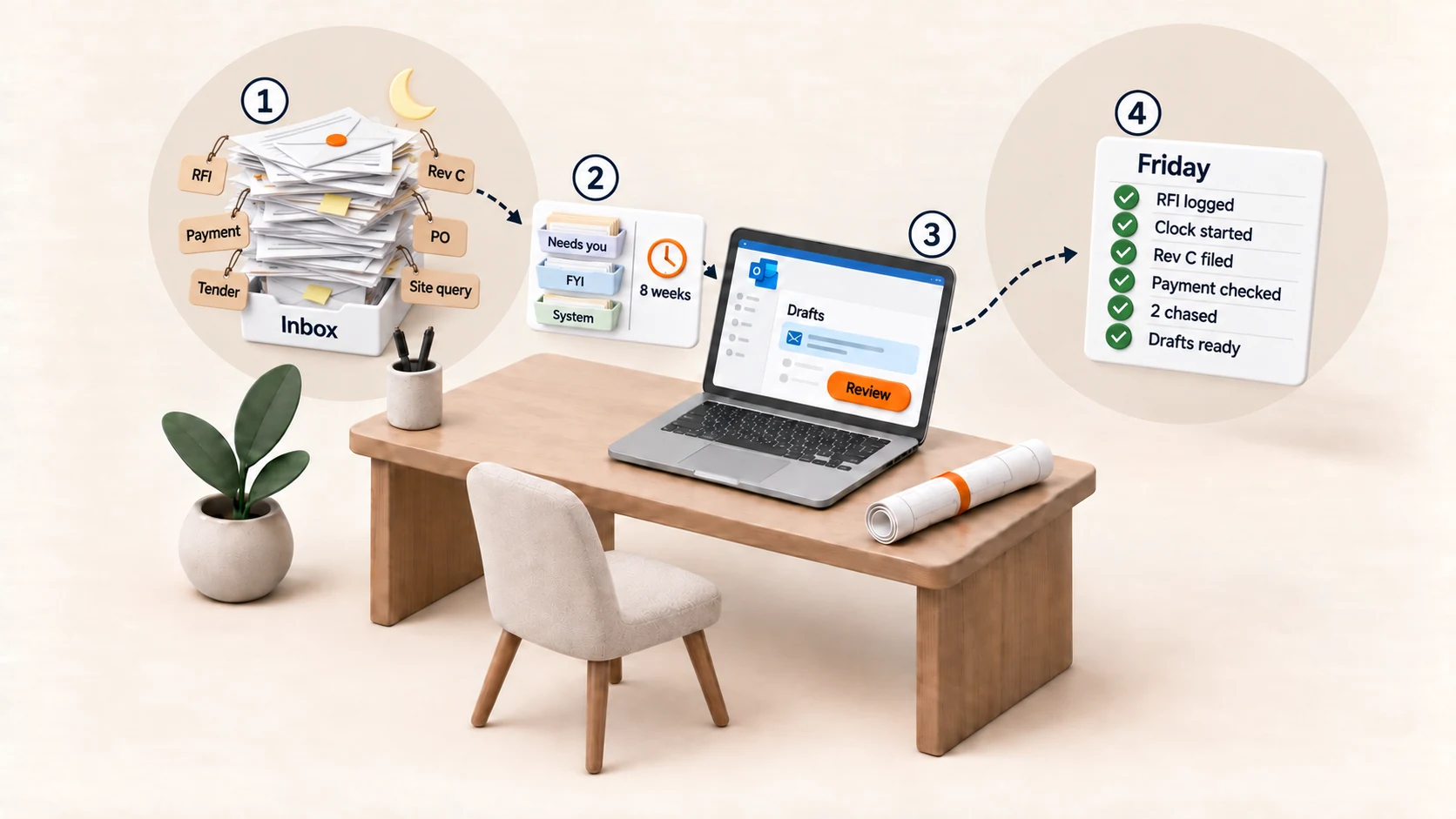
A busy inbox overnight: a stack of emails tagged RFI, Rev C, Payment, PO, Tender and Site query. Step 2: the mail is sorted into Needs you, FYI and System lanes, with an eight week clock started. Step 3: drafts wait in Outlook with a Review button. Step 4: a Friday list shows RFI logged, clock started, Rev C filed, payment checked, 2 chased and drafts ready.

What you get

Catch contract dates in your email

  • NEC4 notices, with the period offered
  • Payment and pay less notice dates
  • Tender deadlines, kept once you confirm the date
  • Connection clocks

e.g. a compensation event email: Letterbox suggests the NEC4 period, you confirm the date.

Check drawing revisions against your register

  • Revisions read from attachment names
  • Vendor document status wording, read from the subject

e.g. an email attaches Rev B but your register says Rev C. Letterbox flags it.

Check before you pay new bank details

Flags emails that change bank details.

e.g. a supplier email with new bank details gets a note: call them on your usual number first.

See who you are waiting on

  • Each one listed with the name of who owes it
  • A chaser draft when you ask for one
  • A weekly summary of what slipped

e.g. Northfield Cables has not replied to your Monday email, so it is listed.

A brief before your day and your meetings

  • A morning brief
  • A meeting prep brief from your calendar and saved mail

e.g. before your 10am client call, a brief of what the saved mail says.

Sort your inbox and prepare replies

  • Lanes, with what needs you first
  • Unsent reply drafts waiting in Drafts for you to edit
  • Learns your lane choices from the handling you approve
  • Quiet hours that hold back notices

e.g. a client query lands in Needs you, with a draft reply in Drafts.

See all features ↗

Why it matters now

One email in a busy week can start a contract clock. Under the standard NEC4 Engineering and Construction Contract wording, a contractor who does not notify a compensation event within eight weeks of becoming aware of it can lose the change to price and time. Under the Construction Act, a payment notice is due no later than five days after the payment due date, and a pay less notice has to be given a set period before the final date for payment. Letterbox makes sure you see each one the day it arrives. Read how contract clocks start in an email ↗

Periods depend on your contract wording.

What makes it different

It reads engineering mail

It can tell a compensation event from a payment application, and Rev C from Rev B.

Every date shows its source

No deadline or standard is stated without where it came from, and contract dates are marked for you to confirm.

Done before you open your laptop

Letterbox has done the work before you open your laptop.

How it works

  1. Install in Outlook

    Add Letterbox to the Outlook you already use.

  2. It reads and sorts

    Each email gets a short summary, and what needs you comes to the top.

  3. You check and send

    Drafts wait in your Drafts folder. You read them, change them and press send.

What it looks like

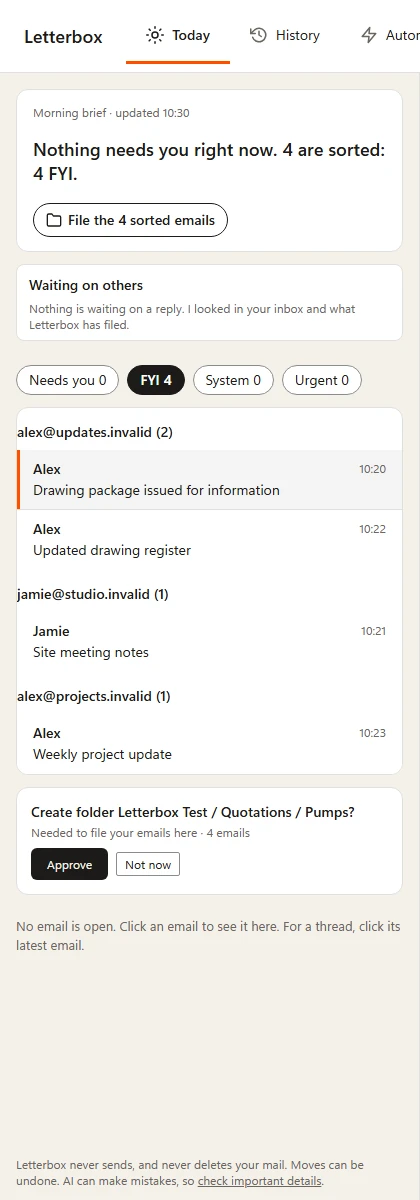
Letterbox Today panel with invented emails: a morning brief saying nothing needs you and four emails are sorted as FYI, the sorted emails grouped by sender, and a request to approve a new folder before they are filed.
A Letterbox screen drawn from Letterbox's own code on 19 October 2026, with invented senders and invented emails (every address ends in .invalid). It is a synthetic example, not a customer's mailbox or a live Outlook window.

What you need

Letterbox

You need

  • A work Microsoft 365 mailbox (Business Basic, Standard or Premium)
  • A compatible Outlook (the supported versions are being confirmed)
  • Your IT admin to add Letterbox for your firm once

Good to know

  • It reads your mail, profile and calendar, and moves or drafts only when you approve.
  • It cannot send mail, and it never deletes your mail.
Full specification ↗

Try Letterbox on your own inbox

30 days free, then £15 per user per month, paid yearly, or £19 per user per month, paid monthly. Excluding VAT. See pricing ↗

Start free trial

Never sends. Never deletes your mail. Every move can be undone.